Main window
The server is the local service that opens acquisitions and talks to clients such as the built-in demo or your own HTML page. By default it is available at http://127.0.0.1:8767. The main window is the control panel for that server.
When you start the packaged app, the main window opens and the server usually starts automatically.
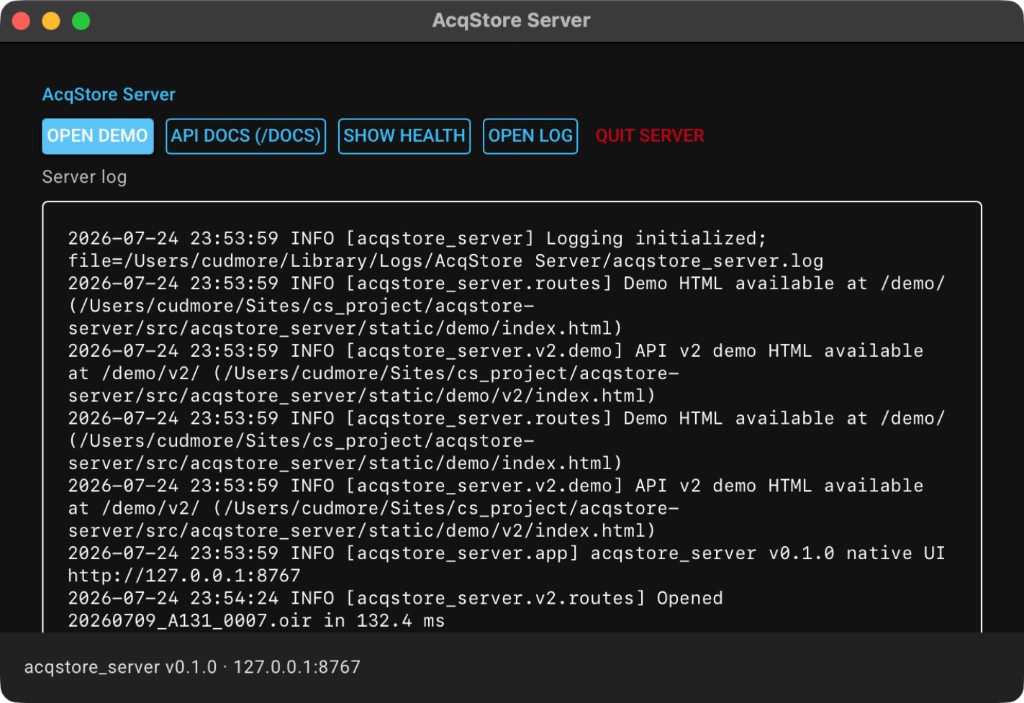
Clients
| Button | What it does |
|---|---|
| Open demo | Opens the built-in browser demo — see Built-in demo |
| API docs | Opens interactive documentation for API v2 |
| Check health | Asks the server if it is responding; details go into the log pane |
Server
| Button | What it does |
|---|---|
| Start server | Starts the local server (enabled when it is stopped) |
| Stop server | Stops the local server (clients and the demo disconnect) |
| Who uses server port? | Shows which process is holding the server port |
| Free server port | Stops our server if needed and clears anything blocking the port |
| Open log file | Opens the on-disk log in your default viewer |
If Start server says the port is busy, use Who uses server port? or Free server port, then Start server again.
Log pane
The lower area shows a live view of this app’s log. Use it when a file fails to open or a client request looks wrong. Open log file opens the same information on disk.
Closing the app
Close the main window (or use Quit from the system app menu). That stops the server and exits the app.
While the server is running
Useful addresses on the same machine:
- Demo:
http://127.0.0.1:8767/demo/v2/ - Interactive docs:
http://127.0.0.1:8767/docs - OpenAPI JSON:
http://127.0.0.1:8767/openapi.json