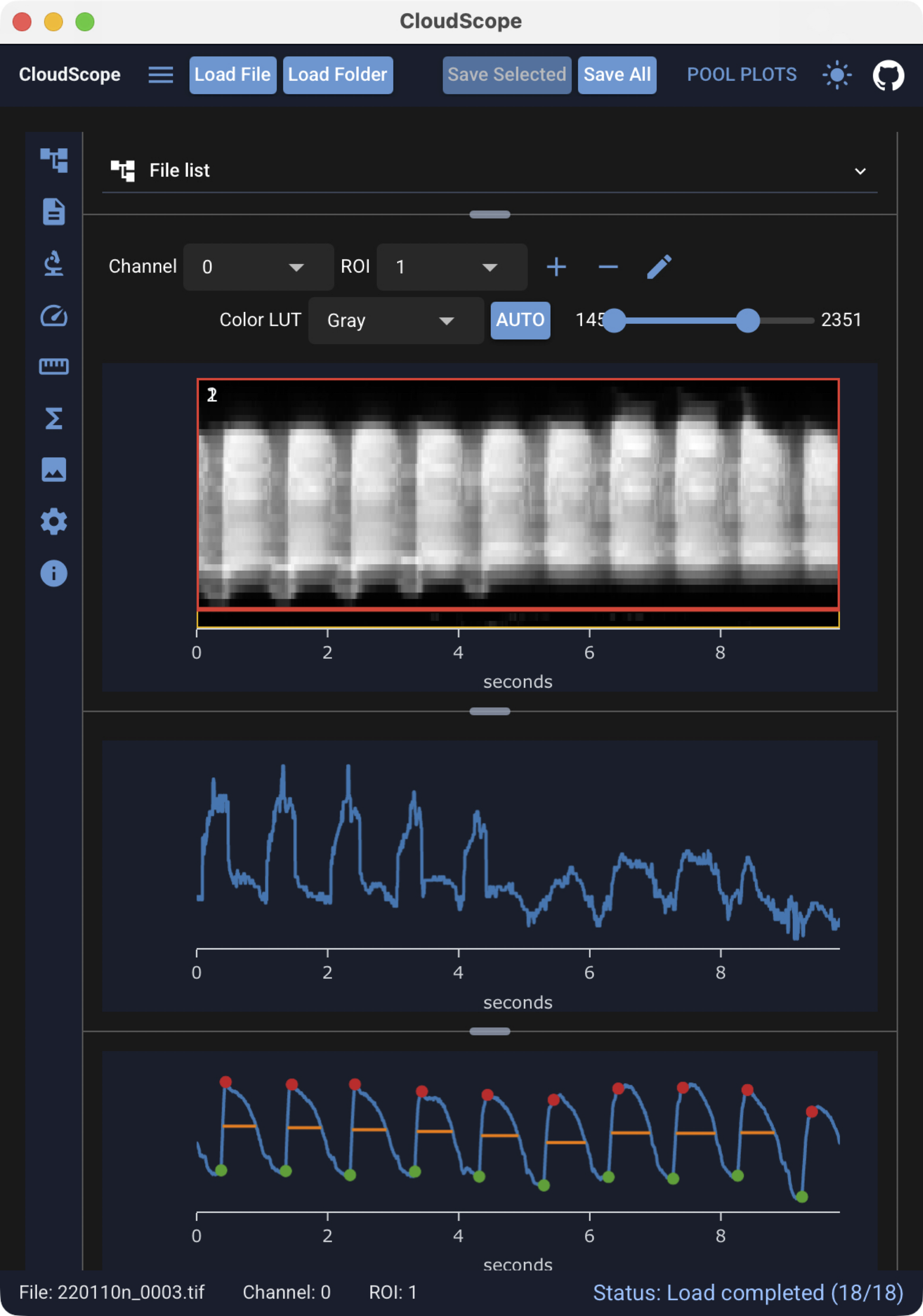
CloudScope is a desktop application for exploring and analyzing microscopy data through an easy-to-use visual interface. You can work with a single recording or folders containing many hundreds of image files.
Open your raw microscopy files in a visual workspace where you can inspect each image and its metadata. You can define regions of interest, run analyses, and then compare results across the entire folder.
The same interface is also available as a live web application, so you can try CloudScope immediately in a browser.
-
Run CloudScope in your browser Launch CloudScope
-
Explore images and analysis from a published Cloudscope dataset Open CloudScope-Web
From the microscope to publication
CloudScope is part of an ecosystem that carries microscopy data through the full analysis lifecycle.
At the microscope. Use the CloudScope desktop app on an acquisition computer. You can inspect new recordings as they are acquired and begin organizing and analyzing the experiment.
In the lab. Open the same raw files and analysis later to review each acquired image and continue your analysis. Define or edit regions of interest and visually inspect the results.
Across an experiment. Summarize results from all analyzed recordings in a folder. Folder-wide tables and pool plots help you compare experimental conditions without opening every file individually. CloudScope is designed around folders, so you can move between many hundreds of recordings while keeping the analysis with the source data. You can choose how the results are filtered, grouped, and shown.
When sharing and publishing. Export a folder as a community-standard OME-Zarr collection. The collection keeps the images together with their metadata, regions of interest, and analysis results. You can share it with collaborators, use it in final manuscript publications, and explore it online with CloudScope-Web.
The CloudScope ecosystem
CloudScope brings three complementary tools together:
- CloudScope is the desktop application and visual workspace. It lets you load, inspect, analyze, and compare microscopy recordings without writing code. The same GUI is also available as a live browser application.
- AcqStore is the engine behind CloudScope. It loads microscopy files and manages the information connected to each recording. It also runs analyses and saves their results. Its documentation contains the technical and scientific details behind these operations.
- CloudScope-Web is the online viewer for exported OME-Zarr collections, allowing complete datasets to be explored without installing the desktop application.
Current analyses
All analysis in CloudScope is performed by AcqStore. CloudScope provides the visual interface for choosing analysis parameters and reviewing the results.
The following line-scan kymograph analyses are currently available in CloudScope:
- in vivo blood-flow velocity
- vessel diameter
- fluorescence peak detection, including signals from functional reporters such as GCaMP
Use the end-user recipes for step-by-step workflows. Scientific methods and technical details are documented in AcqStore Analysis.
Supported file formats
CloudScope can open these commonly used raw microscopy files:
- Olympus / Evident
.oir - Zeiss
.czi - Nikon
.nd2 - TIFF
.tif
File discovery and loading are provided by AcqStore. See Loading an image for format-specific and technical details.
Next steps
- Using the GUI: learn the interface, load a folder, and explore sample data
- End-user recipes: follow step-by-step analysis workflows
- Saved file formats: understand how CloudScope saves and exports your work